Step 1
Select a country
Start typing in the "Country" field and select the country you are interested in.
We will show the current rates.
Select your travel country, receive a QR code after payment, and connect to mobile internet on iPhone or Android without searching for a local SIM card.
Profitable communication while traveling - from purchase to installation and management of eSIM.
Beneficial packages for popular destinations - pay only for the required data volume and avoid overpaying.
SBP, MIR, Tinkoff Pay, Yandex Pay and other familiar payment methods.
The installation button and all data are available in the "My eSIM" personal account. The application is not mandatory.
Check the status, traffic balance, and top up supported tariffs in the "My eSIM" personal account.
The AI assistant will help choose a plan, make a purchase, and connect the eSIM; if needed, it will connect the operator.
We will refund the payment if the eSIM has not been activated yet.
Start typing in the "Country" field and select the country you are interested in.
From the list of cards, select the plan that suits you and click "Buy eSIM". If necessary, apply filters for duration, price, and currency.
Enter your email, choose a suitable payment method, click "Pay," and you will be redirected to the provider's link for online payment. After payment, you will receive your eSIM at the email you provided.

Simon is a travel eSIM seller based on AI in Telegram and the Voyager app: he selects packages, processes purchases, issues eSIMs, and assists with installation on iPhone/Android to ensure internet access abroad.
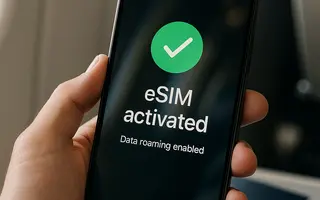
eSIM is a built-in "digital SIM card" in your phone. You purchase a plan online, receive a QR code via email, and in 2–3 minutes add the connection in the settings. No plastic cards, no service centers, and no waiting.

eSIM is a GSMA standardized technology that allows the activation of a mobile profile without a physical SIM card. Support depends on the device model, sales region, and operator.
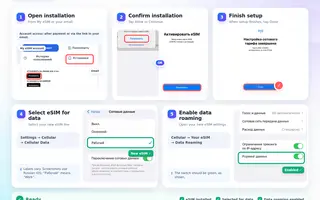
Install an eSIM on iPhone, iPad or Android using a quick-install button, QR code or manual details. Set up data roaming and APN, and check your package in your eSIM account.
Answers to your frequently asked questions.